 Free Chrome extension · Landing page & tracking checker
Check your landing page before you spend on ads
Campaign Preflight checks a landing page in one click: tracking pixels, campaign links, speed, SEO and social previews. You get a launch score and a clear list of what to fix, plus a UTM builder your analytics will understand.
- 100% free
- No account
- Client-ready PDF reports
- Nothing leaves your browser
Everything to check before the ads go live
Built for performance marketers, agencies, freelancers and founders who run their own ads.
Tracking & pixels
Finds Google Analytics 4, Tag Manager, Google Ads, Meta, LinkedIn, TikTok, Microsoft Ads, X, Pinterest, Clarity and more, with IDs and events.
UTM survival test
Opens your real ad link, follows every redirect and confirms the campaign tags reach the page and GA4.
Broken links & UTM mistakes
Checks every link on the page and flags internal links with UTM tags that overwrite your ad source.
Speed & page health
Largest paint, layout shift, server response, page weight, heavy images and insecure files.
SEO & social previews
Title, description, H1, noindex and canonical, plus previews for Google, WhatsApp, LinkedIn and Facebook.
Client-ready reports
Save the report as a PDF with your name or agency on it, or copy a plain-text summary.
See Campaign Preflight in action
Click any screenshot to see it full size.
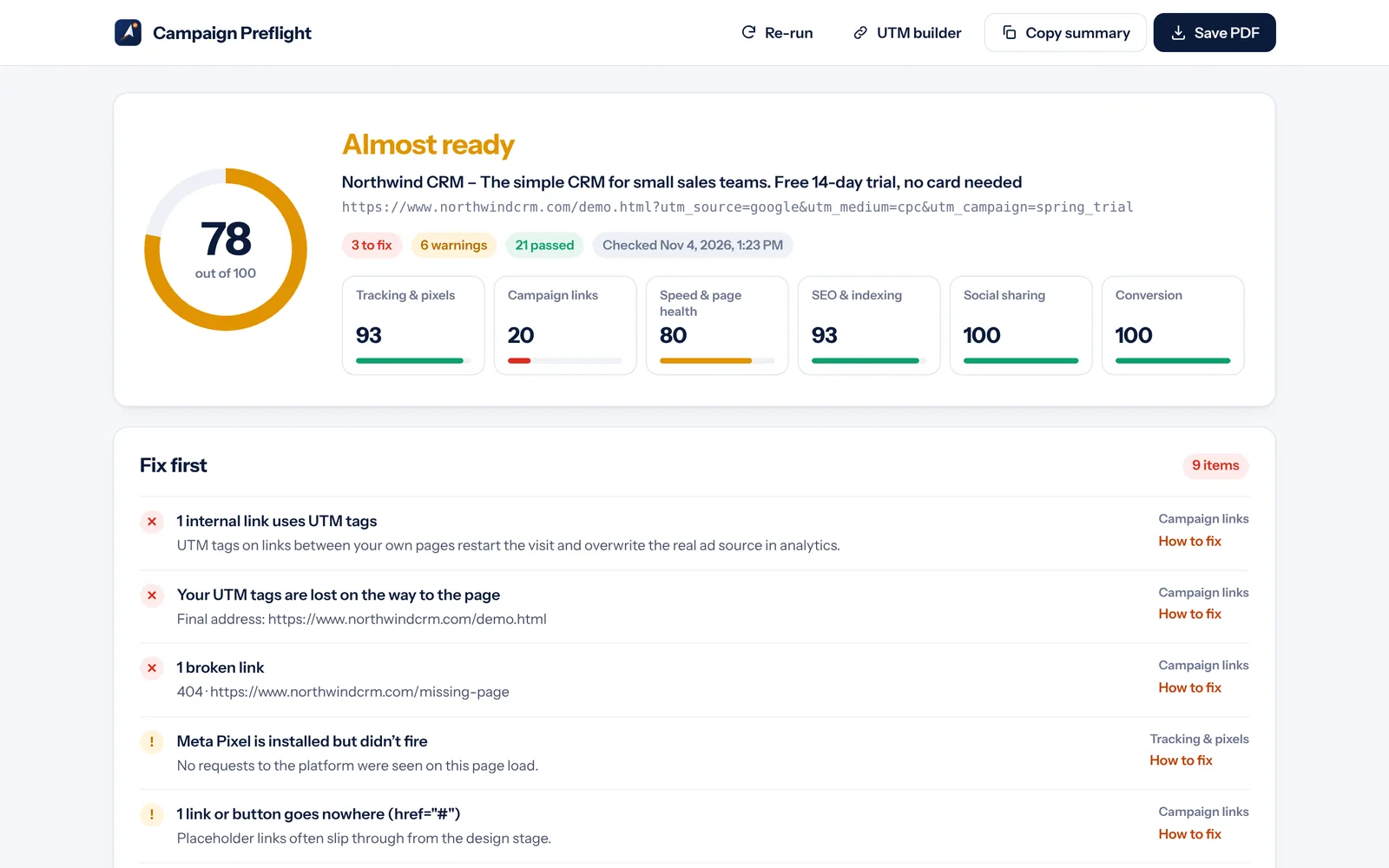
A clear answer: ready, almost, or fix first
Every check rolls up into a score out of 100 and a verdict, with the most important fixes at the top and a “How to fix” for each one.
- Six categories: tracking, links, speed, SEO, social, conversion
- Critical issues are listed before warnings
- Re-run after each fix to see the score improve
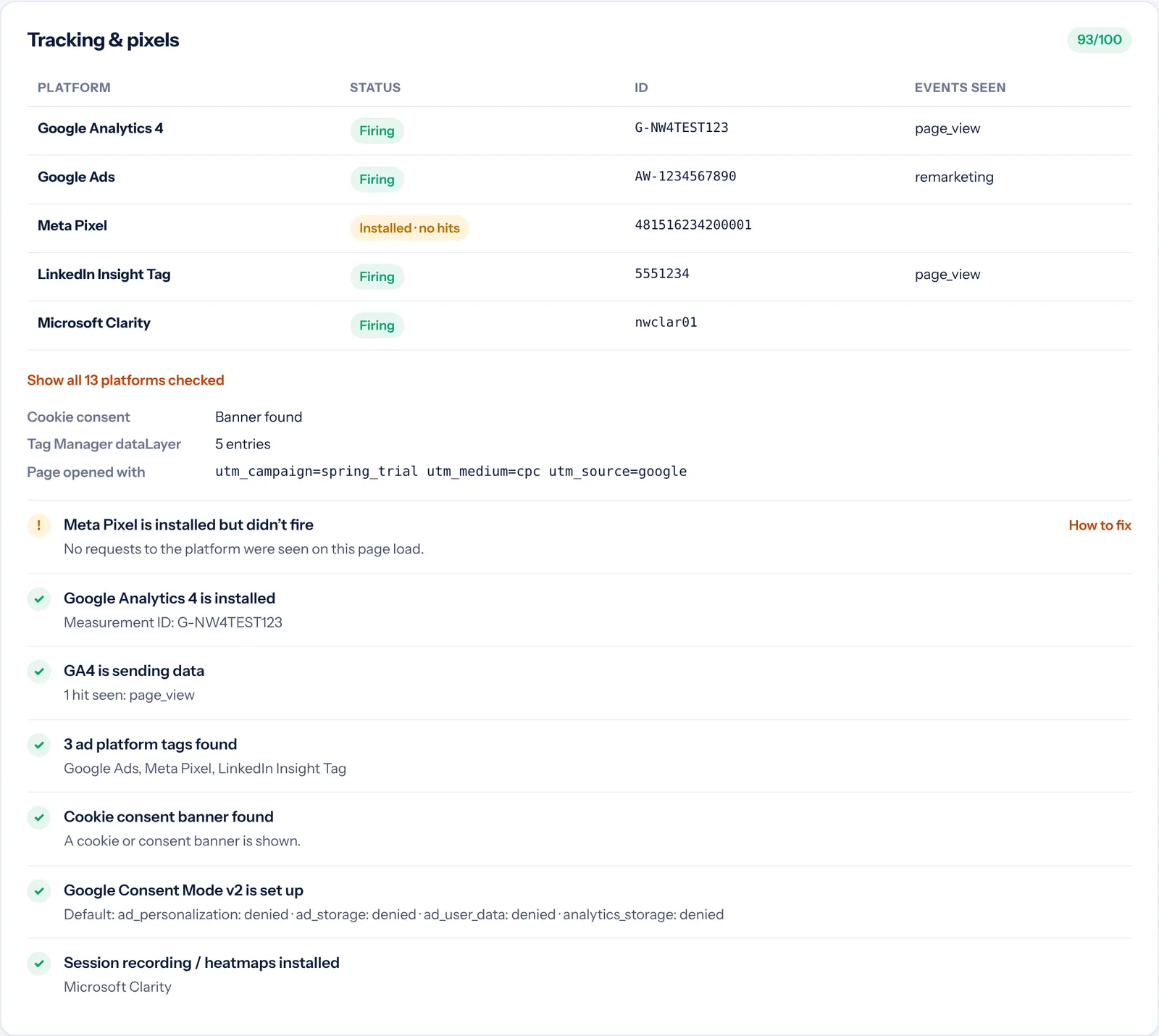
See every tag, and whether it actually fires
“Installed” isn’t enough. Campaign Preflight shows which tags really sent data on this page load, with their IDs and the events they sent.
- Analytics, tag managers, ad pixels and heatmaps
- Cookie consent banner and Consent Mode v2 checks
- Warns when an ad blocker or consent may be stopping a tag
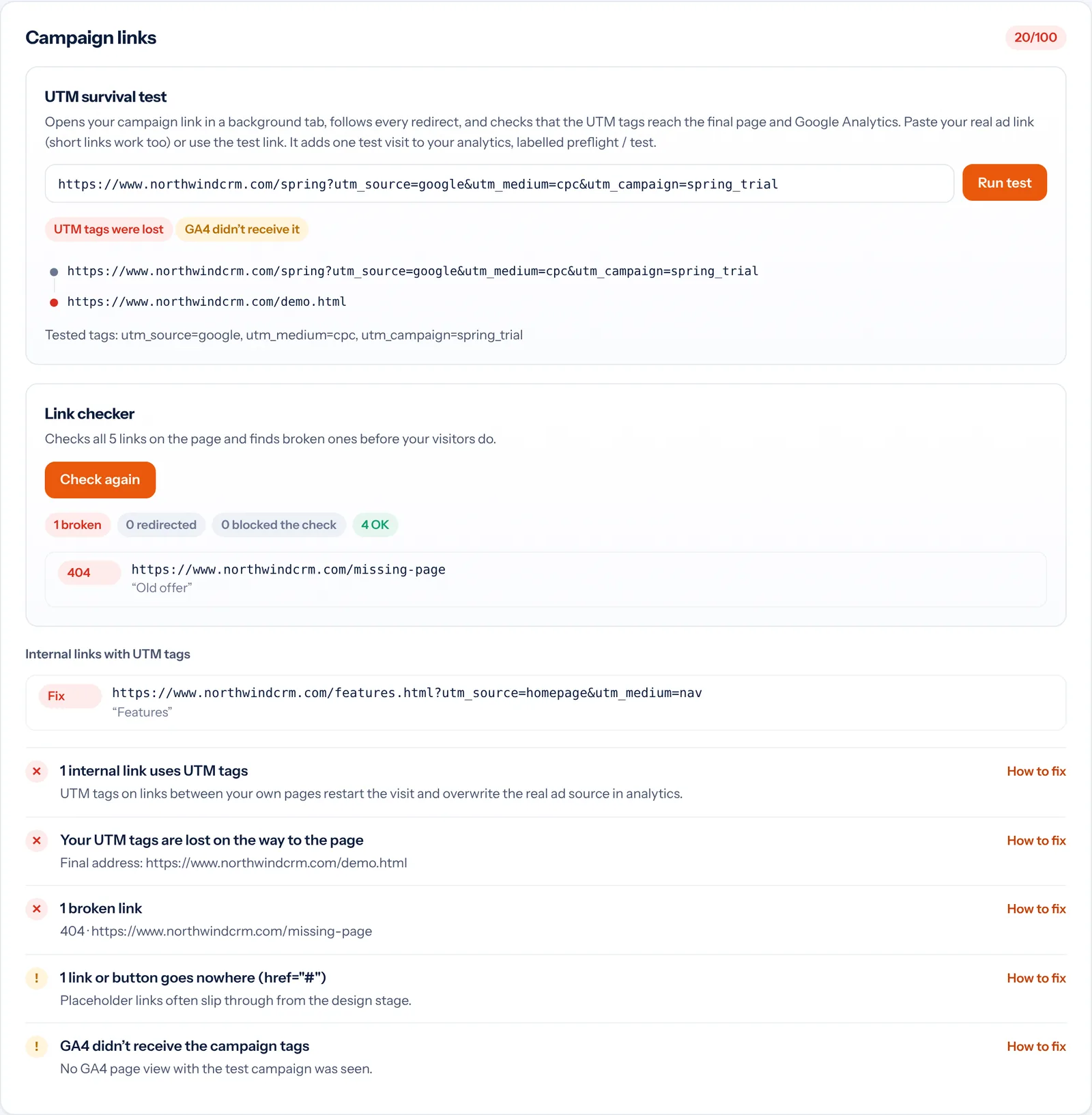
Catch UTM tags lost in redirects
Paste your real ad link, short links included. The test follows each redirect and shows exactly where the campaign tags disappear.
- Checks that GA4 received the campaign
- Broken link checker for every link on the page
- Flags internal links that carry UTM tags
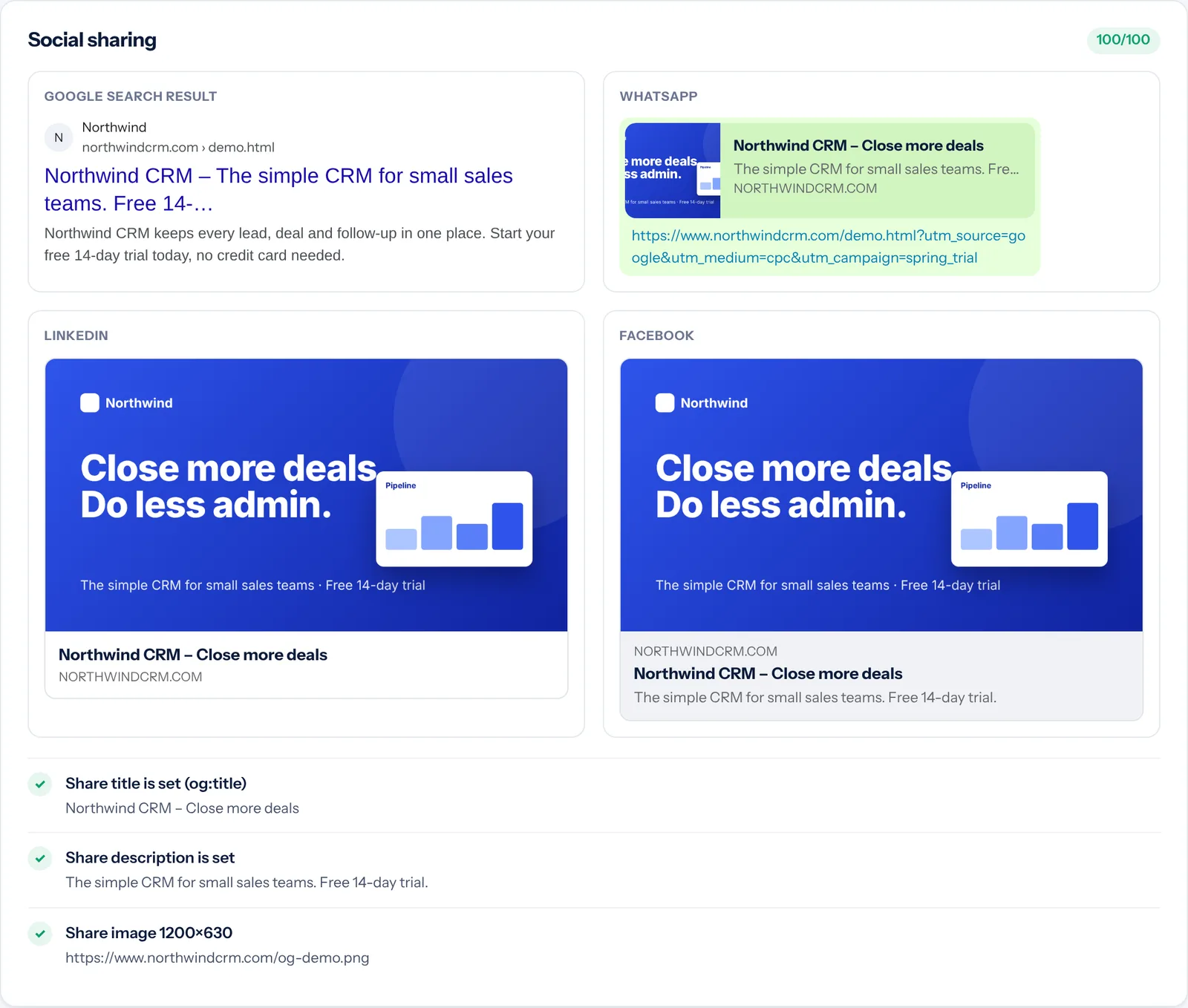
Preview your link before anyone shares it
See your page as it appears in Google results and in WhatsApp, LinkedIn and Facebook link previews, and catch missing or small share images.
- Google search snippet with title cut-off
- Share image size check (1200×630 recommended)
- Title, description and Open Graph tags
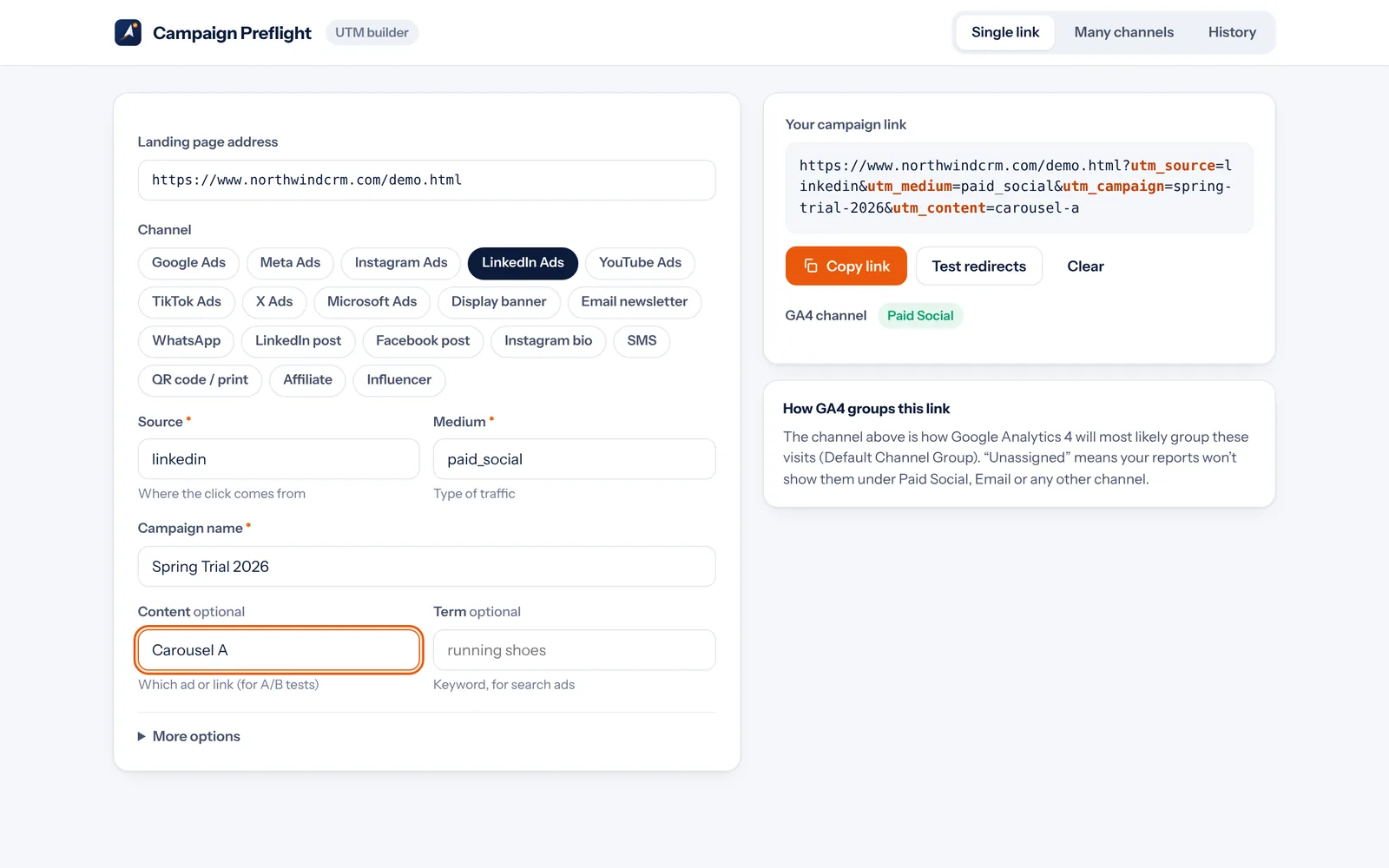
UTM links your analytics understands
Pick a channel, name the campaign and copy. The builder applies your naming rules and shows which GA4 channel the visits will land in.
- 18 ready-made channels, plus your own
- Warns when a link would show up as “Unassigned”
- Many channels at once, CSV export and searchable history
Install Campaign Preflight in under a minute
Works in Google Chrome and other Chromium browsers such as Microsoft Edge, Brave and Opera.
Open the Chrome Web Store
Click Add to Chrome on this page to open Campaign Preflight’s Chrome Web Store listing.
Click “Add to Chrome”
On the store page, click the blue Add to Chrome button.
Confirm
Chrome lists what the extension can do. Click Add extension.
Pin it to your toolbar
Click the puzzle-piece icon next to the address bar, then the pin beside Campaign Preflight.
Run a preflight check in six steps
Do this before every campaign launch, and again after any change to the page.
Open your landing page
Open the exact page your ads point to. Accept the cookie banner like a real visitor would, so your tags can load.
Run the check
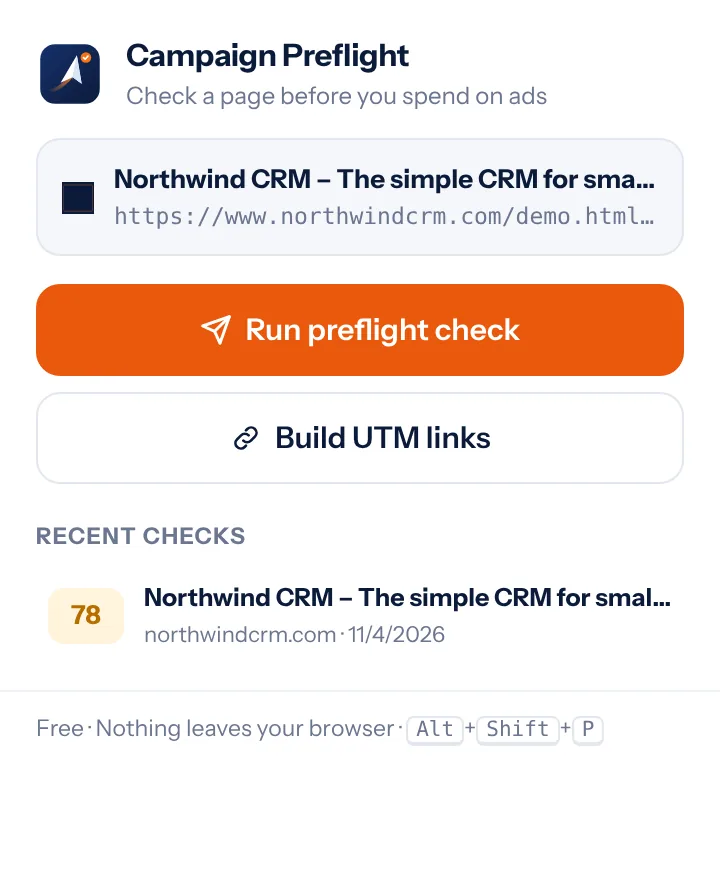
Click the Campaign Preflight icon and choose Run preflight check, or press Alt + Shift + P. The report opens in a new tab.
Fix the top items
Start with Fix first. Open “How to fix” on any item, make the change, then click Re-run.
Test your ad link
In Campaign links, paste your real ad link and click Run test. Allow website access the first time.
Check every link
Click Check links to find broken links and pages that block visitors.
Share the report
Add your name under Prepared by, then Save PDF for your client or Copy summary for chat.
Questions and answers
Is Campaign Preflight free?
Yes. Every feature is free, with no account, no limits and no ads.
A tag shows “installed, no hits” but I know it works. Why?
Tags often wait for cookie consent, and ad blockers stop them in your own browser. Accept the cookie banner or pause your ad blocker, then click Re-run.
Does the UTM survival test affect my analytics?
It opens your page once in a background tab, so your analytics records one test visit. The default test link is labelled preflight / test so it’s easy to filter out.
Does it upload my pages or data?
No. Campaign Preflight has no servers and no analytics. Checks run in your browser, and reports and link history are stored only on your computer. Read the privacy policy.
Why does it ask for website access?
Only for the UTM survival test and link checker, which need to open your ad link and check other pages. It’s optional, and the main check works without it.
Does it replace Tag Assistant or the platform pixel helpers?
It’s a fast all-in-one launch check. For deep debugging of one platform’s events, its own helper tool is still useful.
Launch campaigns without wasted ad spend
Free, private and ready in seconds. Add Campaign Preflight to Chrome and check your next landing page before the ads go live.
Lavkush Kumar
Freelance full-stack developer with 7+ years of experience. I build fast marketing websites and landing pages in WordPress, Webflow, Shopify and Next.js, plus custom Chrome extensions like Campaign Preflight.